When developers design database structures, the most significant challenges they face are the need to install heavy tools and the lack of a smooth learning curve for complex hierarchical structures. Relio ERD has emerged as a new alternative optimized to run instantly in a browser environment, alleviating these burdens. This tool allows you to place tables and columns on the canvas via drag-and-drop and visually represents the logic of relationships with great clarity. It supports easy-to-remember naming conventions and a clean layout, enabling even non-developers to grasp the data flow at a glance, thereby breaking down communication barriers within teams. Additionally, by leveraging AI techniques, it provides automation features ranging from initial schema structure construction to modification suggestions, significantly reducing the effort required in the planning phase, which can otherwise be time-consuming. In this article, we will provide an in-depth analysis from a practical perspective, covering Relio ERD’s core interface structure, AI-based features, and the methods for switching between various output formats necessary for the actual deployment preparation stage. =
Relio ERD: Introducing an Intuitive Database Diagram Tool You Can Use Directly in Your Browser
1. What Are the Advantages of a Browser-Based Environment?

One of the most notable features of Relio ERD is its adoption of a web-based architecture that requires no separate package installation. Developers can immediately set up their working environment simply by opening a web browser and accessing the tool, instead of using their existing local editors or desktop applications. This fundamentally eliminates environment discrepancy issues, such as OS-specific configuration mismatches or version conflict risks, that often arise in multi-platform collaborative settings. In particular, during the inception phase of new projects, the ability for external developers or designers to join immediately without spending time on installation serves as a powerful driver for accelerating project progress. By utilizing the browser’s storage features, you can continue working in the same context even after a session ends, providing the flexibility to instantly finalize ideas that come to mind during ad-hoc meetings or brainstorming sessions into diagrams. ===
Relio ERD optionally supports a cloud-based synchronization method that replaces the local file system, ensuring data persistence. If accessed without logging in, a limited mode operates that stores up to two documents in the local storage of the current browser. This indicates a privacy-first approach, allowing data to be safely isolated without being transmitted to external servers, which is ideal for highly secure projects or personal experimental designs. On the other hand, creating an account and logging in automatically backs up all project files to a central cloud server, providing a seamless experience where the workflow is not interrupted when switching devices. This dual storage structure grants developers the autonomy to flexibly choose the storage location based on their work style or the confidentiality level of the project. === Key Point: By supporting a dual local and cloud storage method, it finds a balance between security and collaboration efficiency, offering a customized experience for various users.
The lightweight structure accessible via browser only, without installation, plays a decisive role in enhancing collaboration continuity and eliminating environment dependencies.
2. Practical Guide to Interface and Editing Features
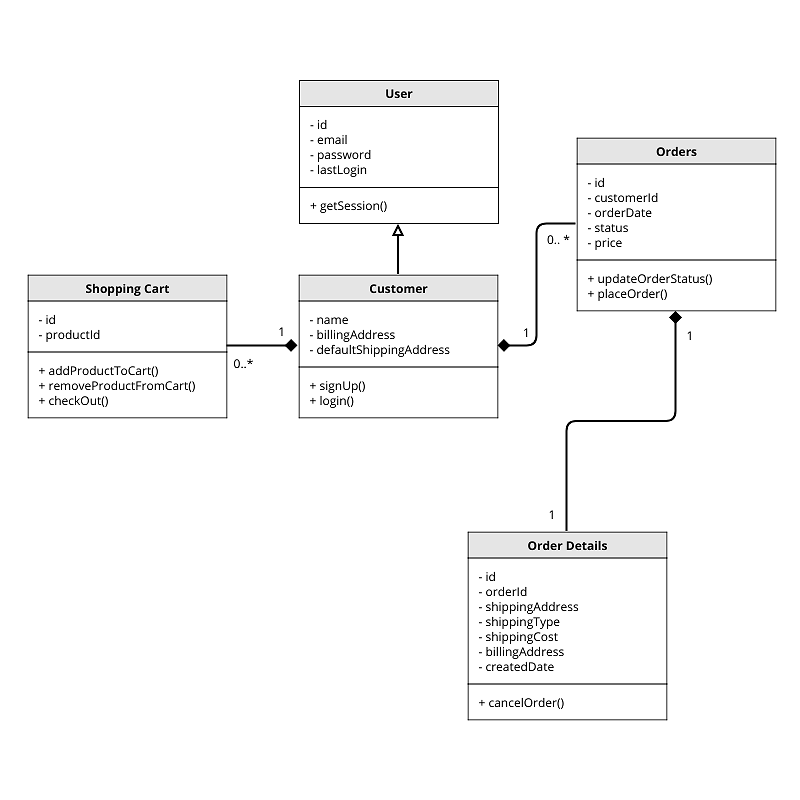
Creating tables on the canvas and adding multiple columns offers a natural and intuitive interaction, much like using a whiteboard. When modifying table names and attributes, you can enter inline editing mode with just a mouse click, allowing for rapid definition without opening complex configuration windows. Data type specification allows you to select standard formats supporting major relational DBs from a dropdown menu, preventing issues arising from type errors in advance. Primary and foreign key settings are clearly indicated with visual icons, helping you keep track of the existence of complex foreign key conditions. You can use the memo and section division features to leave notes on the design intent or precautions for specific modules, which serves as a useful means of conveying important context to subsequent developers. ===
Relationship setup involves connecting columns between two tables with lines, and cardinality information, such as one-to-one or one-to-many relationships, is automatically labeled on the lines. If incorrect relationships or circular references occur, real-time warning messages are displayed, contributing to maintaining schema integrity. This validation logic acts as a quality control mechanism that catches reference errors commonly occurring when manually writing SQL creation statements at the diagram stage. It is optimized for near-instant response speeds even when performing repetitive manipulations like moving or deleting top-level fields in records, ensuring that workflow focus is not disrupted. The placement of buttons and icons is also designed with frequently used features condensed within a short distance, focusing on lowering the barrier to entry and increasing productivity. === Key Point: Real-time reference validation and an intuitive connection interface enhance the accuracy of master data management while minimizing developer cognitive load.
Through inline editing and visual key designation features, complex relational database structures can be composed persuasively without text-based configuration.
3. In-Depth Analysis of AI-Based Schema Automation Features

The most notable innovation in Relio ERD is its embedded natural language processing-based AI engine, which automatically generates initial database structures. Users only need to enter simple instructions in a text box, such as “Create a structure with a table for storing user registration information and a feature for searching posts.” Shortly after, the system analyzes the requirements, suggests a list of related tables, infers the data types for each field, and places them on the canvas. This feature is particularly useful as a starting point when application requirements are not yet clear and design must begin in an ambiguous state. The process involves either adopting the AI’s proposed draft as is or manually adjusting it by deleting specific fields or adding new relationships, refining it to a level that matches the actual business logic. ===
Even in the iteration phase, AI functions as a partner to manual editing, allowing you to request changes to the existing layer. For example, if you request, “Add a cancellation status to the order table and create a table to record related status change history,” a proposal is presented that adds new entities and relationships without breaking the existing structure. This conversational interface allows you to obtain desired results by simply clearly communicating the destination, rather than going through the tedious process of writing SQL statements and restructuring the schema yourself. The naming conventions and type selections suggested by the AI reflect standard software design principles, providing an educational benefit that allows even junior developers to learn and apply professional-level data modeling conventions. === Key Point: The multi-turn conversational capability of interactive AI efficiently supports the continuous evolution and maintenance of schemas and contributes to design standardization.
The AI feature that generates schema drafts from natural language instructions significantly shortens the initial design work, which is repetitive, creative, and time-consuming.
4. DDL Generation and File-Centric Interoperability
To convert completed design diagrams into an actual codebase, Relio ERD provides a feature to automatically generate DDL documents. It outputs accurate and consistent creation commands, including all constraints, index information, and composite types written on the screen, into a text area. Developers can copy this content to commit to their project repository or download it immediately as an SQL file via a shortcut key. Type mapping errors or missing fields that occur during this process can be easily detected and corrected in the preview screen, drastically reducing the possibility of migration script execution failures. In particular, when used in conjunction with the stage of verifying schema changes in a CI/CD pipeline, it can be utilized as a powerful quality gate for detecting structural anomalies before code review. ===
Project files have the .erd.json extension, and this file follows a structured format that is relatively easy for humans to read. This allows for a practical workflow where the diagram’s source code is stored in a version control tool like Git, and team members can review structural changes in the form of Pull Request reviews. The JSON format also offers excellent integration with other development tools, allowing it to be flexibly used for parsing and extracting additional information in schema auto-documentation generators or build scripts. The export and import features provide essential mechanisms for preventing concurrent work conflicts in version control and collaborative environments, systematizing the configuration management of data assets throughout the project lifecycle. === Key Point: The JSON-based file format facilitates codebase integration, naturally incorporating data modeling into the standard processes of software engineering.
The feature that automatically converts visual diagrams into consistent DDL code resolves the gap between the codebase and documentation, lowering deployment risks.
5. Characteristics of Accessibility and Security Models
Relio ERD’s access control model is bifurcated into the simplest “Start without login” mode and the robust “Cloud account integration” mode. When used without logging in, all data is stored in the user’s browser LocalStorage, allowing editing and saving locally even if the network connection is cut off. This feature ensures versatility, allowing it to be used as a design tool even inside facilities requiring extremely high security levels where internal networks are blocked. However, one must be aware of the risks of local storage capacity limits or permanent data loss upon browser profile deletion, and it is necessary to adopt operational habits that do not rely solely on this medium for critical projects. ===
When logging in with a formal account and connecting to the cloud service, all projects are recorded and synchronized in encrypted form on a centralized server. This establishes a multi-device environment where you can access the same workspace from other devices like smartphones or tablets to remotely modify and review diagrams. Permission management features are also provided, allowing project leaders to selectively grant read-only or edit permissions to team members. This serves as a security measure that allows for fine-grained control of access scope, even during contract work with outsourced development companies or external partners. The cloud synchronization cycle is automated, ensuring that the state of the last edit is safely recorded on the server even if the user does not press save, providing stability that can withstand sudden hardware failures or power shocks. === Key Point: Cloud-based centralized storage and fine-grained permission management features elevate the level of collaboration and security management in multi-device environments.
Support for local storage that works offline enables flexible use in highly confidential environments but requires caution regarding data backup.
6. Future Outlook and Developer Utilization Strategies

The trend in database design tools is still shifting from local-based standalone applications to cloud-native collaboration platforms. The browser-first approach demonstrated by Relio ERD aligns perfectly with this industry movement. Its importance is growing further as schema understanding becomes an essential competency that all team members must share, especially as microservices architectures become more complex. However, since the accuracy of AI-based generation features heavily depends on the clarity of the input prompt, it is recommended that complex table structures containing core business logic always undergo manual verification by experts. In the future, it is highly likely that features such as ORM library code generation for various languages like Java and data visualization report generation will be added. ===
It is considered optimal for developers to strategically deploy Relio ERD across the entire lifecycle from start to finish. It is advisable to use the AI feature for rough entity modeling during the requirements definition stage and to precisely adjust column attributes using manual editing features when transitioning to detailed design. Finally, by extracting DDL code and finalizing it as a migration script file, an efficient development cycle can be completed where documentation and code implementation tasks are processed in parallel. Considering that it is an early-stage tool overcoming functional limitations through user feedback, continuously monitoring constraints that must be set manually or missing types is also a very important task. === Key Point: By utilizing Relio ERD step-by-step across the entire project unit, from requirements definition to code deployment, both development quality and speed can be improved simultaneously.
The spread of cloud-based work methods and the maturation of AI technology are promoting the transition of data modeling tools from simple blueprints to intelligent core functions for business logic.
Frequently Asked Questions
=