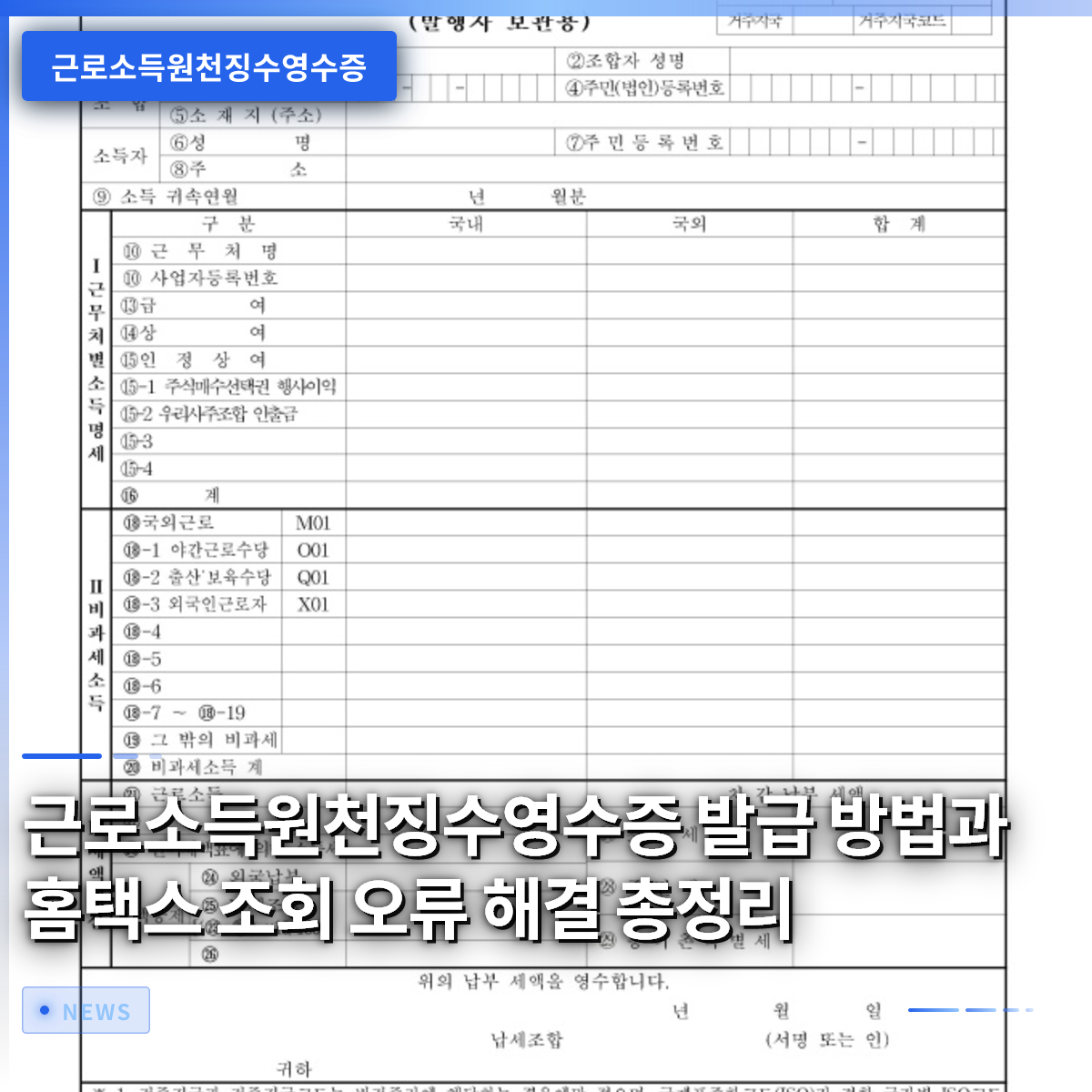
The Withholding Tax Receipt for Employment Income is a crucial income verification document that must be submitted when applying for housing lotteries or bank loans. While it is a document commonly issued to employees after they complete their year-end tax settlement, many people find themselves at a loss when they suddenly need it, unsure of where or how to access it. Recently, this document has been prominently featured as a key reference for income verification in articles discussing controversies over year-end tax settlements for bus drivers and additional recruitment for various rental housing programs. If you do not familiarize yourself with the issuance process in advance, you are likely to miss deadlines and face difficulties. In this article, we will thoroughly cover everything from the online issuance procedure via HomeTax to how to handle situations where a company seal is required. By following the steps outlined here, anyone can resolve the seemingly complex certificate issuance process in just three minutes.
=
How to Obtain a Withholding Tax Receipt for Employment Income and Resolving HomeTax Lookup Errors: A Complete Guide
1. What is a Withholding Tax Receipt for Employment Income?
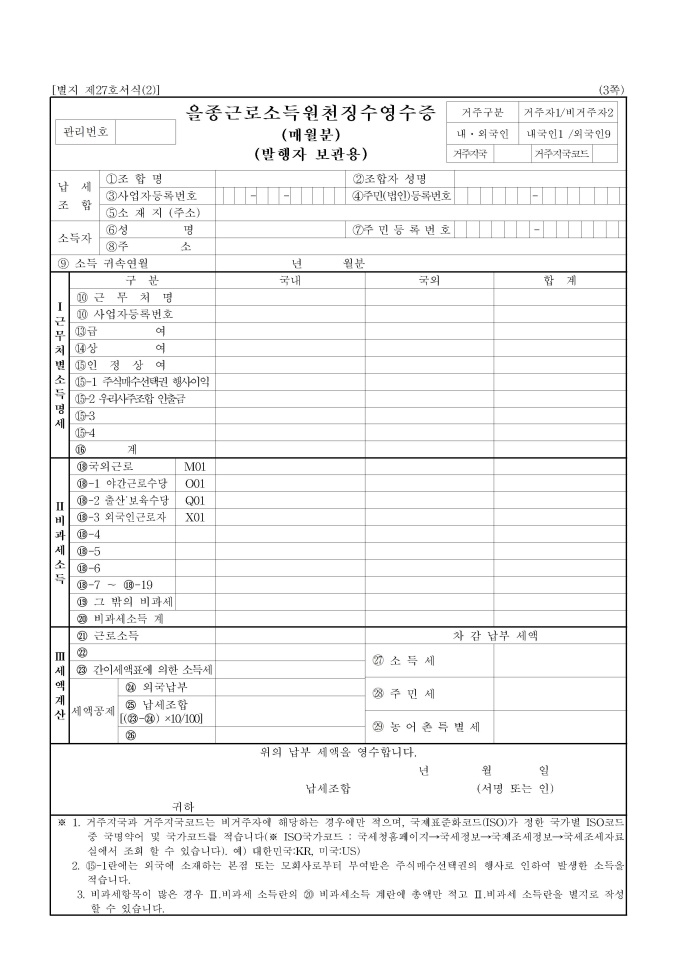
The Withholding Tax Receipt for Employment Income is an official document that meticulously records the total salary paid by your company over the past year and the corresponding tax payment details. It includes all retroactive salary payments and bonuses, making it a strong indicator of an individual’s exact annual salary level. For example, in recent wage disputes between the Seoul Bus Union and the company side, the total salary amount listed in this document was used as decisive evidence to determine actual income. Unlike simply collecting a few pay stubs, this document is certified by a state-recognized institution, confirming the fact of tax payment, making it perfectly suitable for submission to public institutions. Therefore, it is a mandatory document when you need to prove income requirements after winning a housing lottery or when applying for a jeonse (deposit-based lease) loan from a major financial institution. It is also very useful for verifying exactly how much your annual total income has been reported.
Many people confuse this document with the Income Amount Certificate or the Income Verification Certificate, often issuing the wrong document and wasting time. While the Income Amount Certificate is a comprehensive income proof issued by the National Tax Service, the Withholding Tax Receipt provides detailed items based on the payment statements submitted by the company to the tax office. For employees, it is often more advantageous to submit this document, which details specific tax-exempt income and deduction items. Loan reviewers, in particular, prefer specific details that can be verified through a company seal or tax office issuance confirmation over documents that only list a total amount. Although employees naturally encounter this document during the annual year-end tax settlement, it can be difficult to find documents from past years. From now on, we will carefully examine how to use HomeTax, which allows anyone to easily print the document simply by turning on their computer screen.
The Withholding Tax Receipt for Employment Income is a core document proving an individual’s annual total salary and tax payment details, essential for various loans and housing lotteries.
2. Steps to Easily Issue the Document via HomeTax

By accessing the National Tax Service’s HomeTax website and logging in with a certificate, you can view income details from companies you have previously worked for at a glance. The fastest way is to navigate to the Payment Statement Inquiry section via the search bar at the top of the main screen or the “Public Service Certificates” menu. Once you enter the page, a list of statements categorized by the type of income you received will appear; you need to select the “Employment Income Payment Statement” item. After selecting the required tax year and carefully verifying that the business registration number and company name are correct, click the “Inquire” button. If the desired year appears correctly in the list, you can click the printer icon to print it immediately or save it as a file. It is very convenient to save it as a PDF file, as it can be easily used for email attachments or online submissions at any time.
If the company has not yet transmitted the relevant data to the National Tax Service, or if the timing does not align, it may not appear in the HomeTax inquiry list at all. Generally, finalized reported data for the previous year is fully reflected only after the spring season, so it is important to be aware of this to avoid panic. If you need data from past years, you can freely look back and inquire about any number of years on HomeTax, so there is no need to worry. For those who have changed jobs multiple times, statements submitted by each company are listed separately, so you must accurately select the company you worked for in the desired year. It is a good habit to carefully compare the information displayed on the screen with the salary received from the company to prevent future tax-related misunderstandings. Now, let’s look at common errors that occur during the online inquiry process and their clear solutions.
Using the Payment Statement Inquiry menu on the HomeTax website allows you to easily and quickly print the Withholding Tax Receipt for Employment Income for past years.
3. How to Resolve Issues When Details Do Not Appear on HomeTax

It can be incredibly frustrating to log into HomeTax diligently to find the document, only to find that nothing appears or the details for recent years are empty. The most common reason is that the company has not yet reported the previous year’s Employment Income Payment Statement to the competent tax office within the legal deadline. In particular, between January and February, the final year-end tax settlement for the previous year may not be complete, meaning the data might not yet be fully accumulated in the national system. In such cases, rather than worrying alone, the best course of action is to contact the HR or accounting department of your current company directly. If you request the issuance of the withholding tax receipt from the company representative, they can provide a document that can be printed immediately through their internal computer network or tax software.
Additionally, it frequently happens that the print button becomes unresponsive due to conflicts with browser security programs or popup blocking settings. In such cases, the issue is often resolved as if by magic by using a different internet browser or clearing temporary files and cookies before reconnecting. It is also surprisingly common for users to get stuck at the login stage because their personal common authentication certificate or financial authentication certificate has expired or is not registered. Renewing your certificate in advance or registering a simple authentication method allows you to reach the document issuance page instantly without cumbersome procedures. In extreme situations where the company has closed or is unreachable, you must visit the competent tax office’s public service center in person to obtain a certificate of fact or income details. Simply understanding how the HomeTax system works and the company’s reporting schedule can reduce the stress associated with document issuance by more than half.
If the document does not appear on HomeTax, it is likely due to a company reporting omission or system timing issue, so contacting the company representative directly is the fastest solution.
4. How to Handle Cases Where a Company Seal is Required
The Withholding Tax Receipt for Employment Income printed from the online HomeTax system is generally accepted for personal verification or some online submissions. However, banks conducting loan reviews or government offices often require an official document stamped with the company seal or signature. Even if the HomeTax printout has a National Tax Service verification number at the bottom, it is occasionally rejected by institution staff. To prepare for such situations, it is safe to contact your company’s HR or finance team in advance and keep a separate copy of the official withholding tax receipt with the company seal. If the company has an internal intranet or groupware system, it may provide a feature allowing employees to apply for the withholding tax receipt directly in the form of an electronic approval.
If you work for a small or medium-sized enterprise without a separate computer system, you can contact the responsible staff member by email or phone and request them to send a PDF. In most cases, the company already has the documents through their tax agent, so they can send a PDF file stamped with the company seal immediately upon request. If you encounter the unfortunate situation where the company has closed and you cannot obtain a seal, you must visit the tax office’s public service center to consult on alternatives. It is wise to first check with the bank whether you can substitute the missing company seal by submitting an Income Amount Certificate or a related certificate of fact issued by the tax office. You must never make the mistake of missing an important loan execution date or housing lottery document submission deadline due to a small difference in a single document. Verifying the presence of the company seal in advance and preparing with plenty of time is the first step toward successful asset management.
Depending on the bank or government office, a withholding tax receipt with a company seal may be required, so verify this in advance and request it from the company if necessary.
5. Differences and Usage Distinctions Between the Income Amount Certificate and the Withholding Tax Receipt
When searching portal sites to issue public service certificates, the terms “Income Amount Certificate” and “Withholding Tax Receipt for Employment Income” often appear confusingly. The Income Amount Certificate is an official document issued by the National Tax Service that finalizes an individual’s total income for one year, primarily used by comprehensive income tax filers or business owners. In contrast, the Withholding Tax Receipt discussed today is more of a statement that details the taxes withheld when a company pays salary to an employee. For employees, both documents are used to prove income, but the required document may vary depending on the nature and purpose of the submitting institution. For housing-related financial applications, such as housing lotteries or jeonse loans, the Withholding Tax Receipt, which shows detailed deduction items, is often preferred.
On the other hand, when applying for government subsidies or determining scholarship eligibility, the Income Amount Certificate, which simply shows total income, is often required. It is very important to have the ability to carefully read the guidelines for the program you are applying for and identify exactly which document is specified. For freelancers or 3.3% business income earners, the Business Income Withholding Tax Receipt or the Income Amount Certificate is primarily used instead of the employment income withholding tax receipt issued by a company. Unlike employees, freelancers receive irregular monthly payments, so the Income Amount Certificate reported to the National Tax Service becomes the core evidence of actual income. As such, you need the wisdom to choose the appropriate document according to your employment type and the submitting institution’s requirements to complete administrative processes smoothly. Clearly remember the differences between these two confusing certificates to avoid the hassle of obtaining the wrong document when needed.
Requirements for the Withholding Tax Receipt and the Income Amount Certificate vary by submitting institution and purpose, so carefully check the guidelines and issue the correct document.
6. Precautions and Efficient Management Tips for Document Issuance
The most common mistake made when issuing a Withholding Tax Receipt for Employment Income is selecting and printing the wrong tax year. If it is currently 2026, you must accurately understand the submitting institution’s criteria to determine whether you need income details for last year (2025) or the year before last. Caution is needed because financial institutions or loan products may require documents for the most recently closed year or the entire previous year. Additionally, for employees who change jobs frequently, income details from multiple companies exist separately, so you must carefully check to ensure no company is missing. Since income verification documents can be requested unexpectedly at any time, it is important to develop the habit of managing them thoroughly in advance.
It is recommended to safely store the relevant documents on your personal computer or cloud space when your company distributes them after the year-end tax settlement season ends each year. This is the most reliable way to prevent the hassle of logging into HomeTax, going through authentication procedures, and searching for files every time. In particular, if you are facing major life events such as loans or housing lotteries, you should print the documents a few days before the deadline to prepare for emergencies. There is nothing more regrettable than losing an important opportunity due to minor variables such as unstable internet connections or printer malfunctions. If you remember the HomeTax issuance tips and error handling methods learned today, you will never have to stress about documents again. Turn on your smartphone or computer now, easily check your income details, and prepare the necessary documents in advance.
Accurately verify the required tax year and back up digital files in advance to avoid difficulties at critical moments.
Frequently Asked Questions
=